The writer’s workspace
Write. Refine. Publish.
From first draft to reader: organise your writing, see your book through fresh eyes and prepare it for publication.
Start writing — it's freeExplore editorial review
- Basic editor is free
- No account needed
- No installation

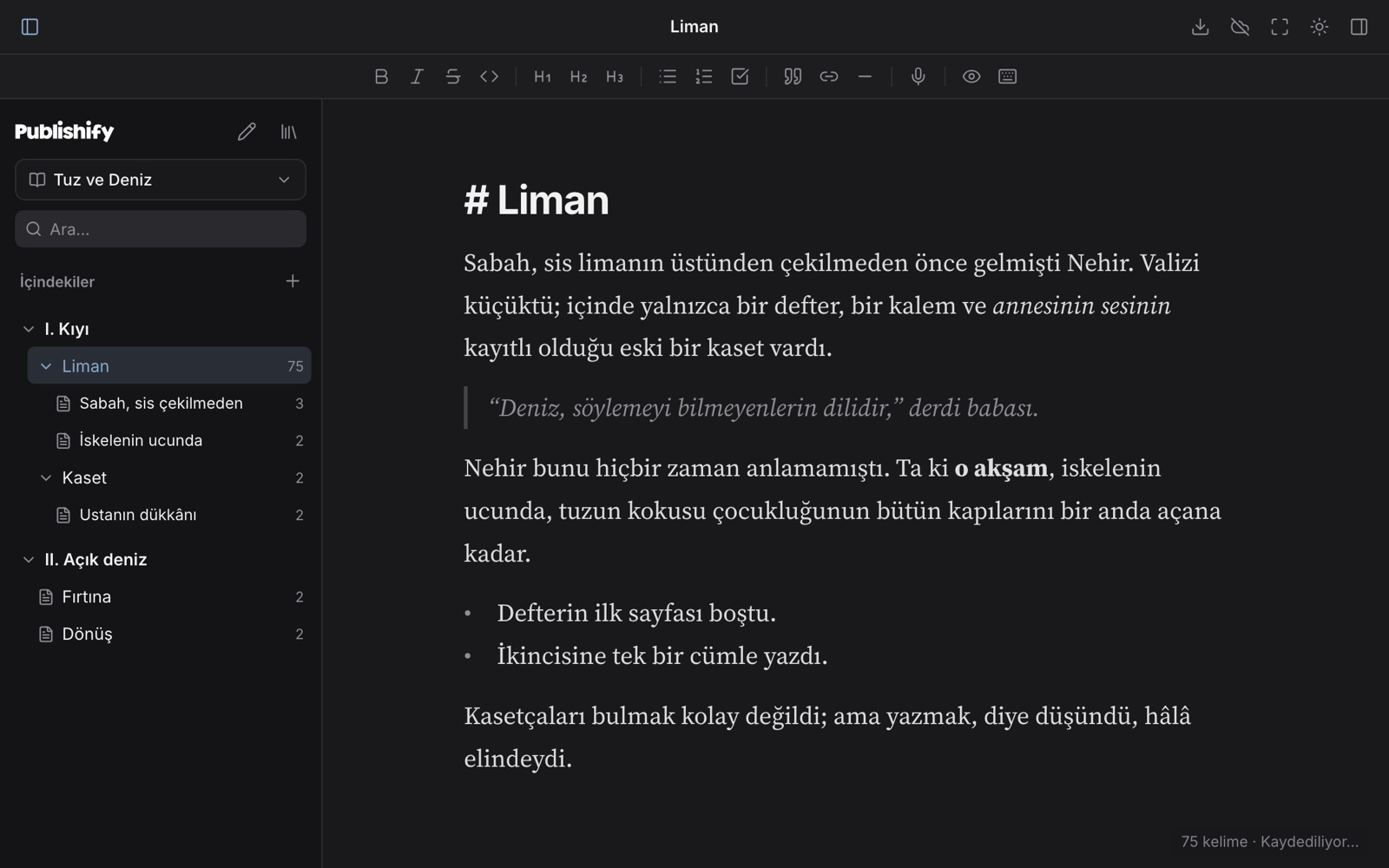
Publishify in brief
- What is it?
- A writing, editing and publishing experience for authors who publish their own books. The editor runs in the browser.
- Who is it for?
- Anyone writing novels, novellas, short stories, flash fiction, poetry, essays, non-fiction or academic articles.
- What does it cost?
- The editor is free; you can start without an account.
- Where does it run?
- On any device with a browser: Mac, Windows, Linux, Chromebook, phone, tablet.
- Which languages?
- Arabic, Ottoman Turkish, Turkish, English, German, French, Russian, Japanese (+ Kurmanji, Zazaki); right-to-left included, and the interface speaks them too.
- Where does my writing live?
- Guest drafts stay in your browser. Account sync is implemented; Drive storage is not integrated yet.
Your book's journey, under one roof.
An author-publisher's work, in three steps.
Write · Publishify
Live Markdown, part › chapter › scene structure, dictation and version history. Free, with no account needed.
Refine · Publishify
Source-linked notes and evidence-based editorial questions are being developed inside Publishify. Live reviews remain disabled.
Publish · Publishify
Save your book as Word, EPUB, PDF or Markdown. Submit it to a publisher or publish through the channel you choose.
The writing desk and editorial board are coming together in one Publishify experience. Reviews are in development and sample reports are illustrative. Export your file, then choose a publisher, ebook store or your own channel.
ONE PUBLISHIFY EXPERIENCE
Focus on your writing. Keep your tools close.
Before adding anything, we ask one question: does this take a job off the shoulders of an author publishing their own book?
Your book stays yours
Guest drafts live in your browser. Keep an exported copy of important work.
The decisions are yours
AI suggests. It does not rewrite or pass verdicts. Only you change your text.
The voice is the author's
The tools step back. What stays on the page is your language and your voice.
In your own language
Write in your own language. Editorial notes in the language of your manuscript are in development.
One connected workspace
The writing desk and editorial perspective meet in the journey of the same book.
We say what isn't ready
We say plainly what is in early access and what we cannot do yet.
Write · Publishify
A calm page, with your whole book in order.
Build parts, chapters and scenes in an editor that runs in your browser. Dictate, and write in the language and direction you need. No account needed.
Refine · Publishify · In development
A publishing house behind you.
You write alone, but you are not on your own. Publishify is bringing source-linked editorial notes and the Wayfarer’s Seven Stages into one manuscript journey.
Publish · Publishify
Your book. Your publishing path.
Save your book as Word, EPUB, PDF or Markdown. Submit it to a publisher, upload it to an ebook store or share it with readers through your own channel.
Publishify is the workspace where you prepare for publication. You choose the channel and the method.
Your file. Your choice.
On the way
We say plainly what is not ready yet.
Source-linked editorial review
We are developing source-linked notes, author decisions and whole-book context within the same workspace.
Desktop and mobile apps
Apps for Mac, Windows, iPhone and Android are planned and will use the same book format.
Offline use
We are working on letting the page open without a connection after the first visit.
Frequently asked questions
What is Publishify?
Is it free?
Do I need an account?
Where are my files stored?
Which languages can I write in?
Write a page today.
No install, no account, no credit card. Open the editor and start writing.